
Add Users to Organizations
With Formware, you can invite multiple users to your Organization so your team can collaborate on forms, manage submissions, and share responsibilities.
You only need the email address associated with someone’s Formware account. If they don’t already have an account, they’ll be invited to create one before accessing the shared workspace.
Add users to your Organization
Section titled “Add users to your Organization”Organization members can collaborate across multiple workspaces within your Formware account.
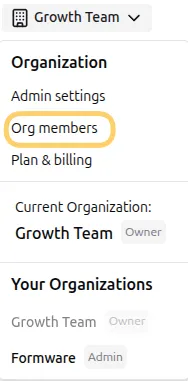
- Log in to your Formware account, open the organization menu in the upper-left corner, and click Org Members.
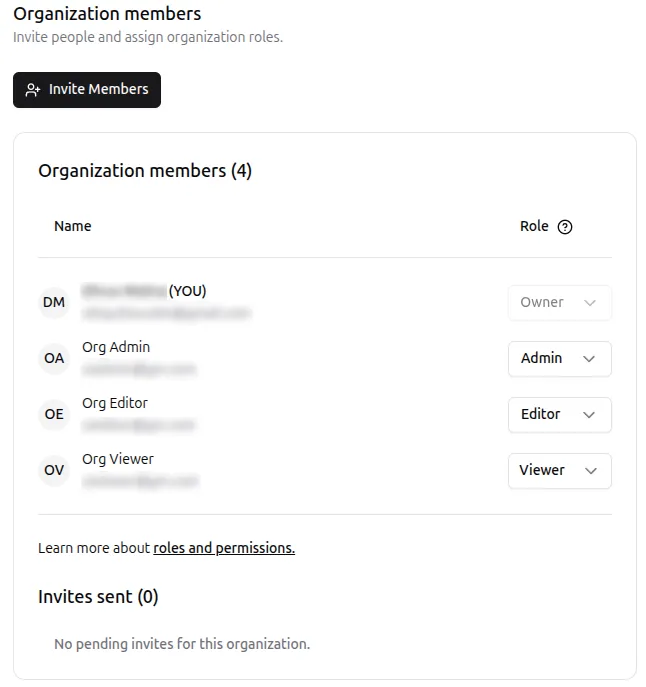
- On the Org Members page, you can view member names, email addresses, and organization roles.
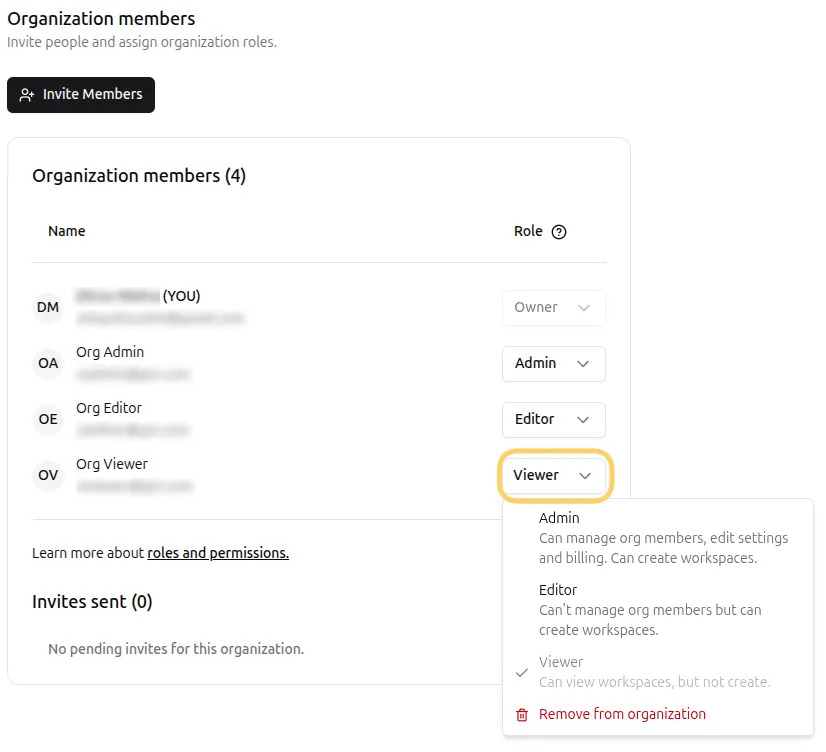
- To change a member’s organization role, click the dropdown menu next to their email address and select a new role.
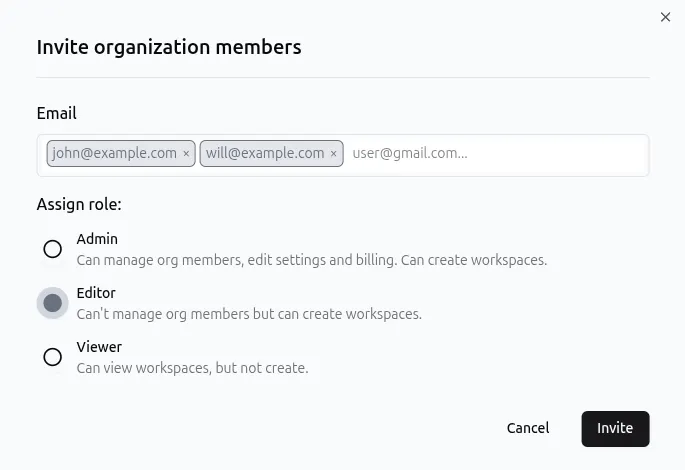
- Click Invite members to add new users to your organization. Enter one or more email addresses, assign a role, and click Invite.
You can invite multiple users at once by entering each email address and pressing Enter or Tab.
- Pending invitations appear below the members table. If an invited user has not yet accepted their invitation, you can click Delete next to the invitation to revoke access.
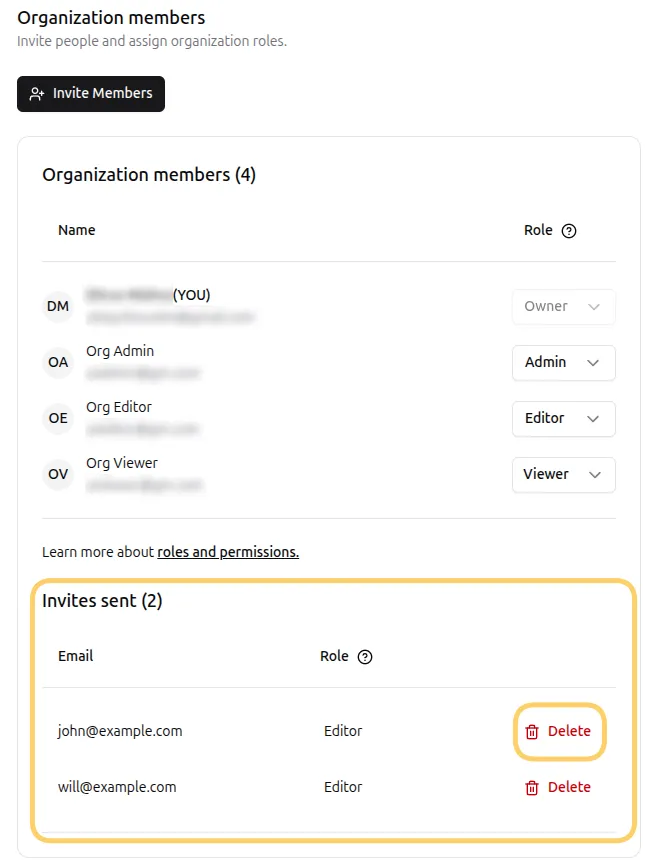
Once revoked, the invitation link will no longer work.
Invited users will appear in your organization after accepting the invitation.
- To remove someone from your organization, click the dropdown menu next to their name and select Remove from organization.
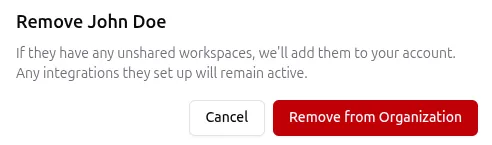
Removing a user from your organization will:
- Remove them from all organization workspaces
- Transfer any unshared workspaces they owned to your account
- Keep existing integrations active
Related Pages
Section titled “Related Pages”For more details on roles and workspace management, see:
Why use Organizations
Section titled “Why use Organizations”Formware Organizations help teams stay coordinated, secure, and efficient. Use Organizations to:
- Centralize team management and permissions
- Ensure consistent access control across multiple workspaces
- Quickly onboard or remove team members
- Separate teams by project, department, or responsibility
- Maintain visibility on team activity across the organization
Organizations are ideal for teams of any size who want clear control over collaboration and form management.