
Show or Hide Questions Based on Answers
“Show question 5 only if question 3 was answered Yes” is one of the most common form-building needs. In Formware, branching works through jumps rather than hidden questions — and for your respondents, the result is identical: they only ever see the questions meant for their path. A question a respondent jumps past is never displayed to them.
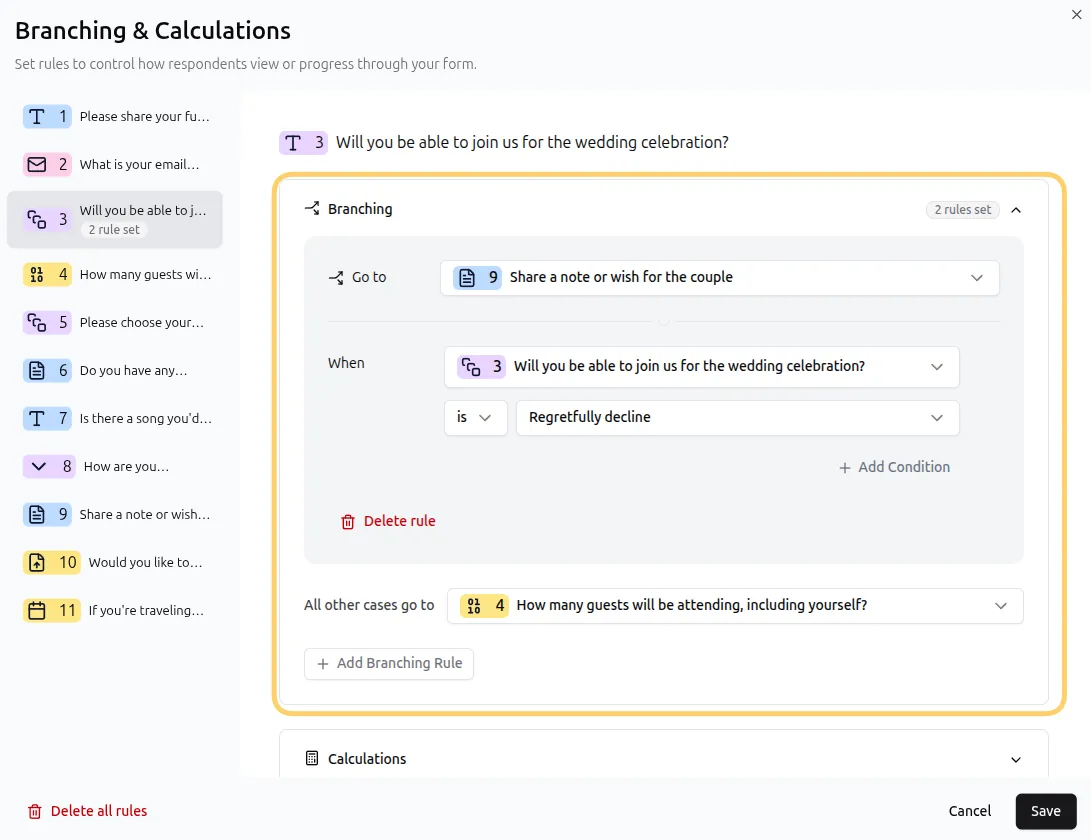
The core pattern: jump around the block
Section titled “The core pattern: jump around the block”Because the form editor shows your full question list while branching happens at fill-in time, the recipe is always the same:
- Place the conditional block at or after the question that decides who sees it.
- On the deciding question, add a rule for the answer that should skip the block.
- Jump that answer to the desired destination question after the conditional question.
- Everyone else continues in order — and sees the block.
Example: follow-up questions only for one answer
Section titled “Example: follow-up questions only for one answer”Q3: Do you have a pet?
IF “Do you have a pet?” is No → jump to Q7
Q4–Q6: pet details (only pet owners reach these)
Q7: shared closing question for everyone
Pet owners flow through Q4–Q6; everyone else lands on Q7 without ever seeing them.
Five patterns, one mechanism
Section titled “Five patterns, one mechanism”| I want to… | Setup |
|---|---|
| Show extra questions for one answer | Block after the trigger question; jump the other answers past it |
| Show a different section per answer | One jump rule per answer, each to its own section; sections converge on a shared later question |
| End the form early for some answers | Jump to the Thank You Page (screen-outs — see Skip Logic) |
| Ask bonus questions only sometimes | Place the bonus block before the end; ineligible answers jump past it to the Thank You Page |
| Repeat a section | Backward jump from a follow-up question — the loop pattern in Skip Logic |
Example: different paths that converge
Section titled “Example: different paths that converge”Q2: Which product line are you interested in?
IF is “Software” → jump to Q3 (software questions)
IF is “Services” → jump to Q5 (services questions)
Q3–Q4: software block →
Q4 Always jump to Q7 (skip the services questions)
Q5–Q6: services block →
Q10: shared final question — both paths arrive here
Conditions aren’t limited to answers
Section titled “Conditions aren’t limited to answers”The rule that routes respondents around a block can reference anything a condition can — previous answers, variables, and hidden fields, combined with and/or. For branching driven by campaign or UTM data, see Logic Based on Hidden Fields.
Do required questions break skipped paths?
Section titled “Do required questions break skipped paths?”No. A question the respondent never reaches is never displayed — so its required setting never blocks them. You can safely mark conditional questions as required: only respondents whose path actually shows them will answer.
Why don’t questions disappear while I’m editing? The editor always shows your complete form; branching happens when respondents fill it in. Preview your form to experience each path the way respondents will.
What does the respondent experience? A single seamless flow. Respondents on different paths never know other questions exist — to each of them, the form was built just for them.
Can I hide questions from everyone and reveal them later? Revealing requires a trigger, and triggers come from answers, variables, or hidden fields. The consent pattern works well: ask “Would you like to answer a few extra questions?” — Yes continues into further questions, No jumps past it.
Can I show or hide questions based on hidden fields like UTM parameters? Yes — hidden fields are a full condition source. See Logic Based on Hidden Fields.