
Skip Logic — Jump to a Question Based on Answers
Skip logic sends respondents to a different point in your form based on how they answer — instead of forcing everyone through the same question order. It’s the mechanism behind screen-out flows, personalized funnels, and repeatable ordering loops.
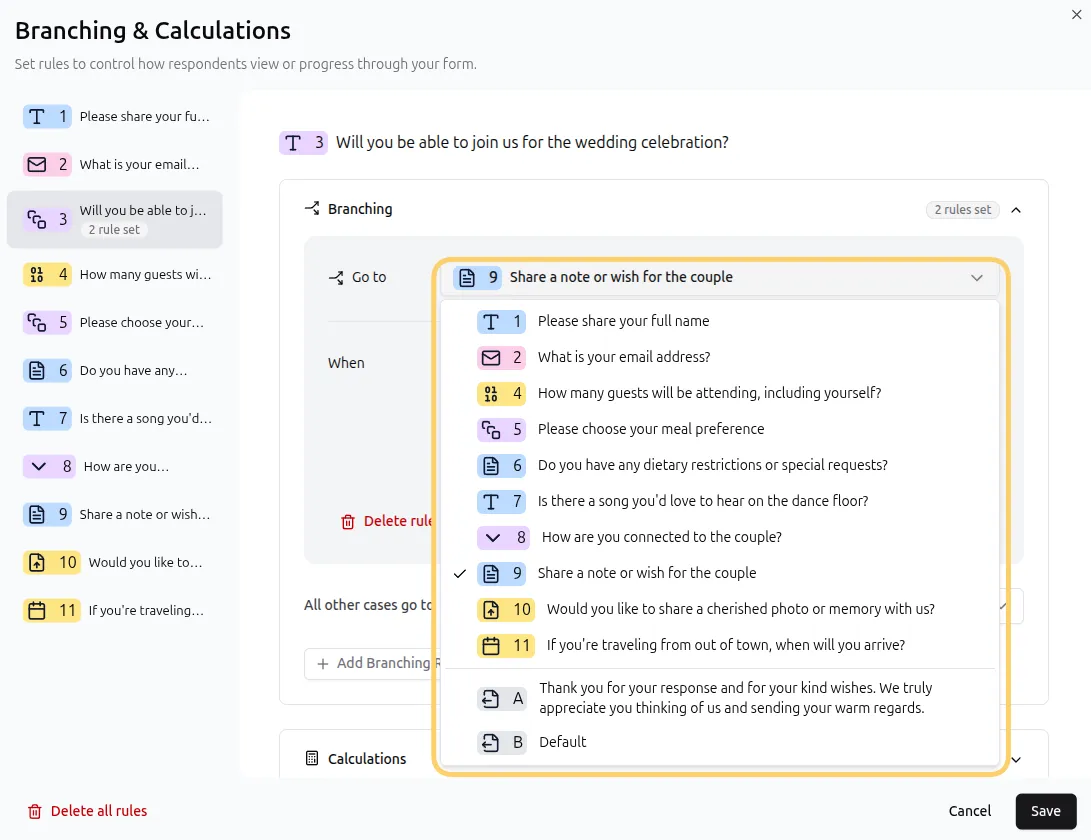
Where you can jump
Section titled “Where you can jump”A jump action can target:
- Any question after the current one — skip irrelevant follow-ups
- Any question before the current one — loop back to an earlier step
- The Thank You Page — end the form immediately
The one restriction: a question cannot jump to itself.
Worked examples
Section titled “Worked examples”1. Screen out unqualified respondents (jump to the end)
Section titled “1. Screen out unqualified respondents (jump to the end)”A job application asks “Do you hold a valid driver’s license?” with a jump rule:
IF “driver’s license” is No → jump to the Thank You Page
Unqualified applicants exit gracefully instead of grinding through 15 questions — and your team never reviews applications that were never viable.
2. Skip irrelevant follow-ups (jump forward)
Section titled “2. Skip irrelevant follow-ups (jump forward)”An event feedback form asks “Did you attend the workshop?” — only attendees should see the workshop questions:
IF “did you attend” is No → jump to the general feedback question
3. Loop back to an earlier step (jump backward)
Section titled “3. Loop back to an earlier step (jump backward)”An order form asks “Add another item?” after each item:
IF “add another item” is Yes → jump back to the item question
Each loop pass re-runs the questions in between — and their rules — so a respondent can add as many items as they need.
Always go: the path when nothing matches
Section titled “Always go: the path when nothing matches”The Always go setting defines where respondents land when none of a question’s rules match. It’s useful when a question has several mutually exclusive answers and you want to route the respondent to some specific question. Think of it as an ELSE condition. Leave it unset and respondents continue to the next question in order.
Rule order: jumps stop evaluation
Section titled “Rule order: jumps stop evaluation”If a question has multiple rules, they evaluate top to bottom — and a matching jump rule sends the respondent away immediately, skipping any remaining rules.
Can a question jump to itself? No — self-jumps are disabled. To repeat a question, place the loop’s jump on a different question (like the “Add another item?” example above).
Can respondents loop through the same questions multiple times? Yes — backward jumps make repeatable sections possible, such as multi-item order forms.
Can I jump based on a hidden field or a variable instead of an answer? Yes — conditions can reference current answers, previous answers, variables, and hidden fields. See Condition Types & Operators.
Does the respondent see that they skipped questions? No. For the respondent, a form with skip logic feels like a single seamless flow built just for them — they only ever see the questions meant for their path.