
Conditional Logic
Conditional logic turns a linear form into a branching one: each respondent only sees the questions relevant to them, based on what they answer. It’s how you build screen-outs, personalized funnels, scored quizzes, and calculators — without code.
Where to access branching logic
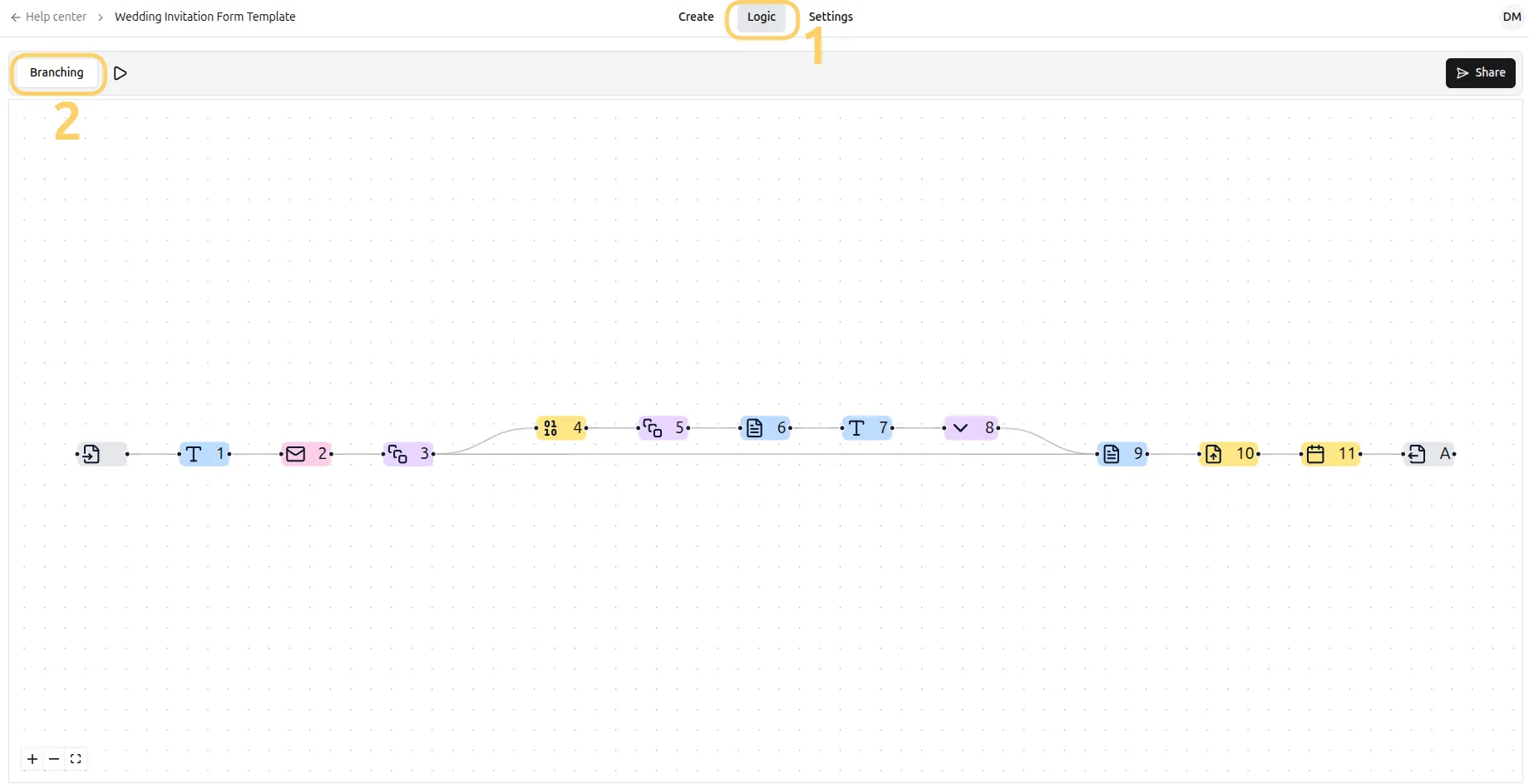
Section titled “Where to access branching logic”Open your form and go to the Logic tab and select Branching.
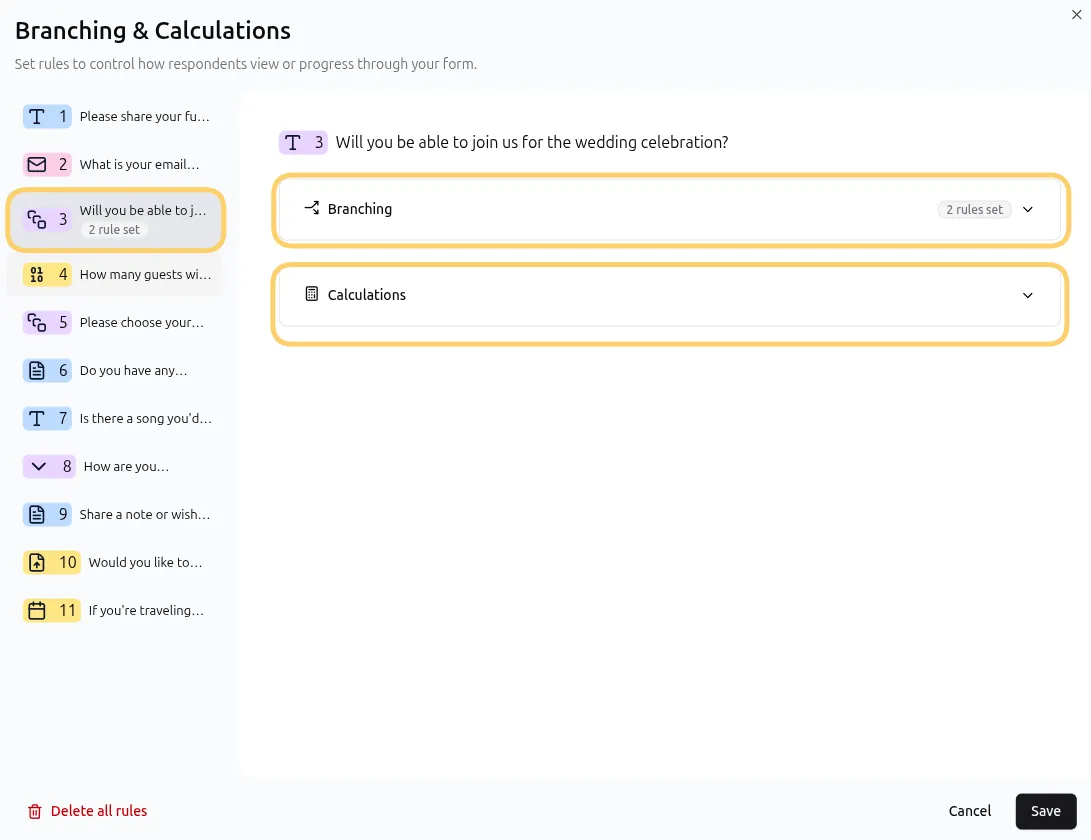
Select the question where you want to add branching or calculations.
How logic works in Formware
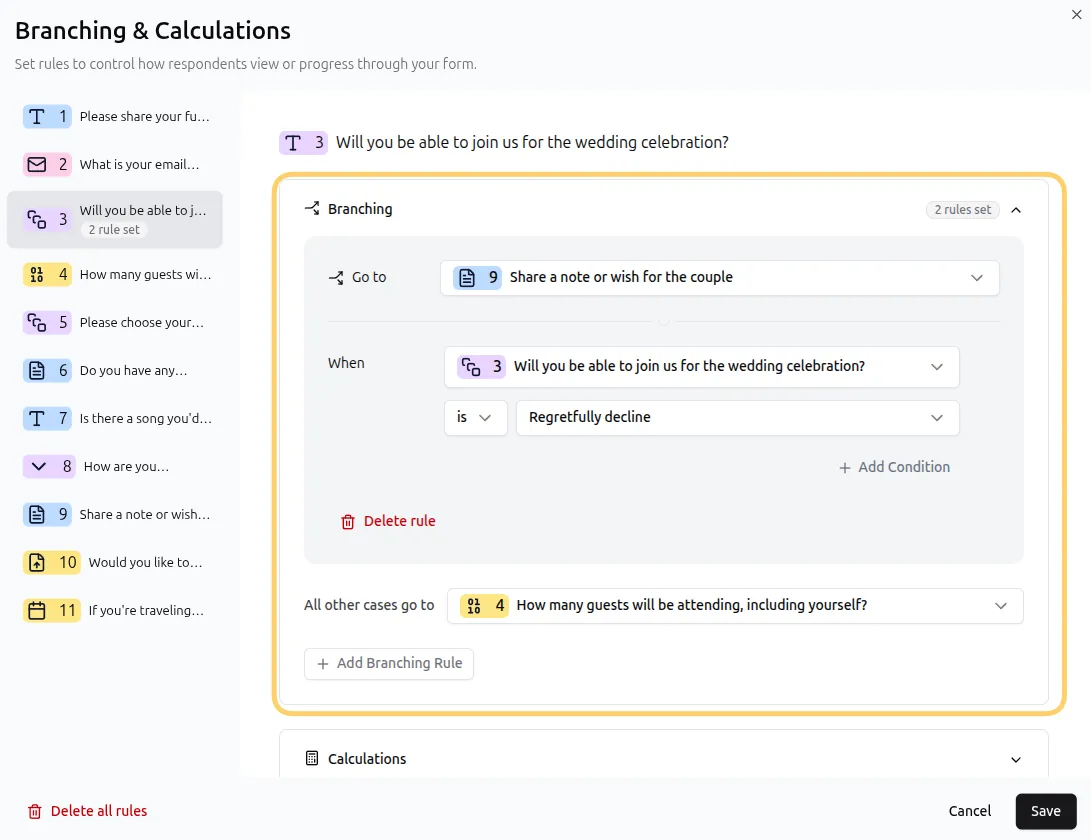
Section titled “How logic works in Formware”Logic is configured per question. Each question can carry multiple rules, and every rule has two parts:
IF one or more conditions are met → THEN run one action
Conditions can be based on four things:
| Condition source | Example |
|---|---|
| This question’s answer | Multiple choice is a specific option |
| Previous questions’ answers | An earlier opinion scale is greater than 7 |
| Variables | score is greater than or equal to 50 |
| Hidden fields | utm_source equals “instagram” |
Actions come in three types:
| Action | What it does |
|---|---|
| Branching | |
| Go to a question | Continue the form at a different question — forward, backward, or the Thank You Page |
| Calculations | |
| Set a text variable | Assign a static value to a text variable |
| Calculate on a numeric variable | Add, subtract, multiply, or divide a value against the variable’s current value |
Formware’s default variables — price, score, and segment — plus your own custom variables can both drive conditions and be updated by actions.
Rule order matters
Section titled “Rule order matters”Calculations are evaluated first before Branching rules. Within any individual category, i.e. Calculations or Braching, rules on a question run top to bottom, in the order shown in the editor:
- When a rule matches and its action is a Go to, the respondent is sent there immediately — remaining branching rules are not evaluated.
- When a rule matches and its action is a variable update, the update is applied and evaluation continues to the next calculation rule.
This means one question can both score and branch:
Calculation: answer is “Correct” → add 10 to
scoreBranching: answer is “Correct” → “Go to” to the feedback question
Branching logic: different paths through your form
Section titled “Branching logic: different paths through your form”Because branching jumps can go forward (skip irrelevant questions), backward (return to an earlier step), or to the Thank You Page (end the form early), the same rule system covers every common branching pattern:
- Screening — an unqualified answer jumps straight to the Thank You Page
- Personalization — different needs jump to different follow-up sections
- Loops — an “add another item?” question jumps back to the item question
See Skip Logic for worked examples of each.
What conditions can compare
Section titled “What conditions can compare”Every question type has its own operators — multiple choice uses is / is not, numeric questions like opinion scales use greater than / lower than / equals and more, dates compare with earlier than / later than, and file uploads can check whether a file was provided. The full reference is in Condition Types & Operators.
Within a rule, conditions are joined with and / or — and you can mix the two in the same rule. Conditions evaluate left to right with no operator precedence.
Is conditional logic free? Yes. All logic features — multiple rules per question, all condition sources, and all actions — are available on the Free plan.
How many rules can a question have? Multiple. Each rule has its own conditions and its own action, and rules run in order.
Can I mix AND and OR in one rule? Yes — conditions are evaluated left to right, each joined to the previous one. For complex logic, consider splitting it into multiple rules instead of one long condition chain.
Can logic show or hide questions? Formware implements branching through jumps rather than hiding questions — for the respondent, the effect is the same: they only see questions meant for them. See Skip Logic.
Why can’t I add logic to my dropdown question? Dropdown, phone number, address, and contact info questions can’t be used in logic conditions. Use a multiple choice question instead — it renders similarly and fully supports logic.