
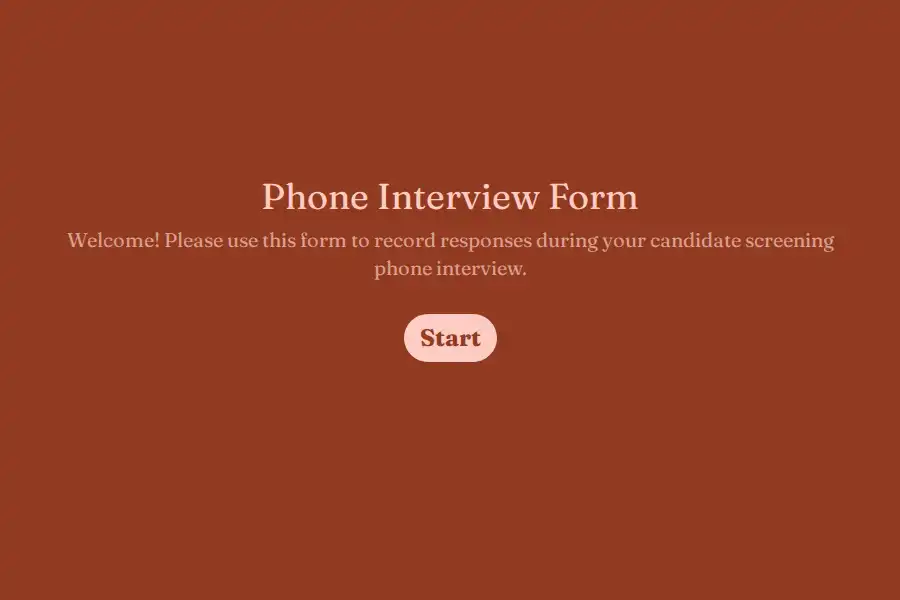
Phone Interview Form Template
The phone screen has the worst reputation in hiring, and it earns it. Twenty minutes, voice-only, wedged between meetings, it’s usually run from memory: a resume skimmed an hour earlier, a conversation that drifts wherever it drifts, and three half-legible phrases scribbled down after the call. The panel then makes a decision worth dozens of downstream hours based on a shrug and a feeling.
The root of the problem is a misunderstanding about what a screen is. It isn’t a miniature interview — it’s a narrower, more valuable instrument: verify that the resume’s story survives contact with its author, confirm the logistics on the record, and produce a written brief that gives the panel a running start. This phone interview form template is the companion for exactly that call — segments that follow the clock, fields that capture while you listen.
The Call, Segmented by the Clock
Minutes 0–2 — Reachability. Open by confirming the basics in a contact block — the number they’re actually answering and the email for follow-ups. Nothing on this form matters if the callback goes to a dead line.
Minutes 2–10 — The story, checked against the paper. Ask them to walk you through their most recent role, uninterrupted, for three minutes. While they talk, the form asks one quiet question: how does the spoken account line up with the resume? A dropdown records the verdict — aligned throughout, drifted in places, or contradictions worth probing — and a note line captures the specifics: the claim that got vaguer on retelling, the metric that changed size the second time. This is the screen’s real product. A resume is a marketing document; the call is the fact-check.
Minutes 10–15 — Logistics, on the record. The facts panels hate discovering in week four: the compensation figure they state out loud, captured in a number field — spoken figures tend to be more honest than application-form ones — plus the earliest realistic start via a date question and spoken confirmation of the working arrangement. Frame it as record-keeping, not negotiation: “let me make sure I’ve got this exactly right.”
Minutes 15–18 — Their questions, captured. Reserve the close for what they ask, and write it down. A short text line noting their questions — the team, the roadmap, the review cycle — tells the panel how this candidate thinks about a job before anyone has judged them on anything.
Minutes 18–20 — The call, made. A multiple choice outcome — advance, hold, revisit, decline — and a yes/no for the only decision today actually requires: does this candidate earn a full interview slot?
The Handoff Brief
The form ends where a screen’s value lives: one long text prompt — brief for the hiring panel — in three or four sentences. What checked out. What to probe. What’s already settled so nobody spends round one re-asking it. Because recall information carries the candidate’s name from your first entry into the closing prompts, the brief reads as written about a person, not a ticket.
That brief is what separates a screen from a vibe: the panel’s first conversation starts from your written record — claims verified, logistics locked, open questions named — instead of your recollection at the coffee machine.
Built for Live Use, Mid-Call
- One screen at a time keeps the capture fast, and the progress bar doubles as a clock — halfway through it, you should be entering the logistics block.
- Calls drop and meetings collide. Partial submission saving keeps everything typed so far — resume-check notes included — when the connection fails or the call runs into your next one.
- The brief travels the moment you submit. A new-submission alert drops the completed record to whoever owns the pipeline, so the panel reads it the same afternoon instead of next sprint.
- Managers follow without full access. Viewer seats let hiring managers see the briefs moving through the pipeline without opening up the recruiting team’s whole working file.
- One form, every requisition. Attach the requisition code to each distribution link with hidden fields so screens file themselves by role, and work the week’s calls from a single response queue with briefs on top.
What a Phone Call Can — and Can’t — Judge
A voice-only screen is a poor instrument for technical depth and a good one for coherence: can they tell their story chronologically, do the numbers survive retelling, do they answer the question asked or the one they wished you’d asked. Note the behaviors; leave the verdicts to the rounds built for them. A screen declines plenty of candidates on facts alone — that is its job — and it doesn’t need to play judge on craft that a proper interview will test far better.
The surrounding funnel — applications, first rounds, offers — lives in the job application collection and the wider recruit talent library.
Frequently Asked Questions
Who should run phone screens — recruiters or hiring managers?
Whoever isn’t the hiring manager, wherever that’s possible. The screen is fact-gathering — verification, logistics, handoff — and hiring-manager judgment is the scarcest resource in the process; their hours belong to candidates the screen already cleared. In small teams where the founder or manager runs everything, the form matters more, not less: it’s what keeps the call to twenty minutes and the outcome written down.
How long should a screen call last?
Twenty minutes, ending on time even mid-sentence. Overruns punish both sides, and the segmented structure tells you where the time went: a candidate who consumed the whole call on their own story is showing you something worth noting. If logistics didn’t get covered, book the two-minute follow-up rather than stretching the call — and if the segment ran long because the answers were genuinely strong, that belongs in the brief too.
What if the candidate's story contradicts their resume?
Don’t cross-examine — the screen is a fact-check, not a deposition. Record the discrepancy in the alignment check, capture the specifics in your notes, and let it sit. One inconsistency is often a misunderstanding; a pattern across multiple claims is a finding. Either way, the brief hands the panel exactly what to probe in round one, and the panel — not the screener — should weigh it.
Can this form work for video screens too?
Yes, unchanged. The clock, the verification check, the logistics record, and the brief apply identically when there’s a camera involved — the only difference is that you gain visual signals on top of the voice-only ones. Teams that split intake between phone and video screens can run the same form for both and keep every first conversation comparable, whatever the medium.